Resizing changes an image's pixel dimensions. It is useful when a source image is much larger than the space where it will appear, or when a service requires a particular width or height.
1Choose a file
Select an image or drag it into the tool.
2Adjust the options
Use the available setting for the task and keep the result practical.
3Review and download
Check the output before using it on your site, email or app.
Original ImageRW diagram: Image Resizer.
Before you start
Check the largest size the destination actually needs. If the image will be displayed at several widths, consider whether the publishing system can generate responsive variants rather than relying on one very large source.
Resize versus crop
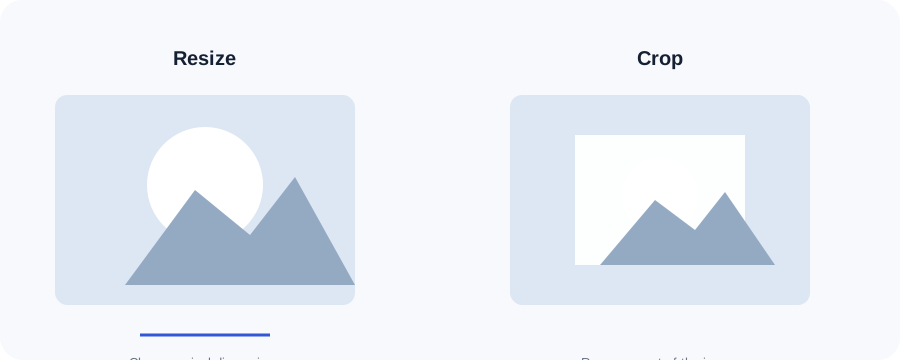
Resizing changes the dimensions of the entire image. Cropping removes part of the image. If a photograph has too much empty space, crop first and then resize; if the composition is already right, resizing alone may be enough.
Keep the aspect ratio when possible
Entering only a width or only a height lets the tool calculate the other dimension proportionally. This avoids accidental stretching. Deliberately entering both dimensions changes the aspect ratio and can distort people, products or graphics.
Downscaling and upscaling
Downscaling removes pixels and is generally predictable. Upscaling creates new pixels and cannot restore detail that was never captured. If the original is small, finding a higher-resolution source is usually better than enlarging it repeatedly.
Choosing dimensions for a website
Start from the largest display area you actually need. A source does not have to be enormous simply because a modern screen is high resolution. Responsive layouts may use different resources at different display sizes.
A practical workflow
Check the destination, choose the largest useful dimensions, resize from the original, inspect the result and then compress or convert if the final file is still larger than necessary.
Frequently asked questions
Can I enter only a width?
Yes. ImageRW calculates the height proportionally.
Does resizing improve image quality?
No. It changes dimensions and cannot recover missing detail.
Does the tool replace my source?
No. It creates a new output.
Keep your original file.Image processing creates a derivative. Retaining the original makes it easier to create another size, crop or format later.
Related ImageRW resources