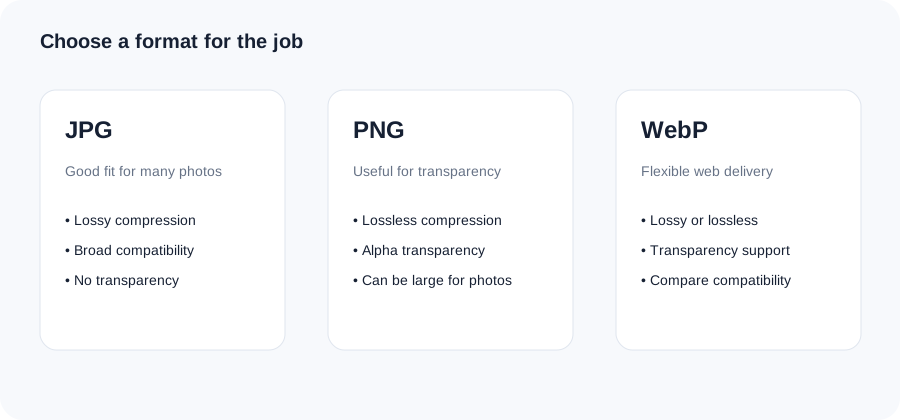
WebP supports lossy, lossless and transparency workflows and is widely used for modern web delivery. The best result still depends on the image, quality setting and compatibility requirements of the destination.
1Choose a file
Select an image or drag it into the tool.
2Adjust the options
Use the available setting for the task and keep the result practical.
3Review and download
Check the output before using it on your site, email or app.
Original ImageRW diagram: WebP Converter.
Before you start
Choose WebP when the destination supports it and the format fits your workflow. Keep the source image so you can create another format later if compatibility requirements change.
What is WebP?
WebP is an image format designed for efficient delivery. It supports both lossy and lossless compression and can represent transparency, making it flexible for web assets.
WebP versus JPG
Photographs can often become smaller as WebP, but the result depends on the source and quality. JPG remains useful where compatibility with older software or an existing workflow matters.
WebP versus PNG
WebP can be useful for graphics and transparent assets as well as photographs. Compare the actual output rather than assuming one format is always smaller.
Quality settings
A higher quality setting generally retains more visual information at the cost of bytes. A lower setting can be useful when file size matters, but inspect fine text and high-frequency textures.
A practical workflow
Create a WebP copy, compare its size and appearance with the source, check your destination's compatibility and keep the original for future exports.
Frequently asked questions
Is WebP always smaller?
No. Results depend on the image and settings.
Can WebP have transparency?
Yes.
Should every website use WebP?
It can be a useful option, but the right format depends on the site's browser, CMS and delivery requirements.
Keep your original file.Image processing creates a derivative. Retaining the original makes it easier to create another size, crop or format later.
Related ImageRW resources